Work

Six projects worth diving deeper into

I've shipped over 30 products over my 15+ years in product. These are ones I'm particularly proud of.

  1. Apple

    2022 — 2025

    Launching the Games app globally at WWDC 2025

    Three years from concept to public launch across iPhone, iPad and Mac — announced at WWDC in June 2025, shipped to everyone that September, with the go-to-market campaign and the developer story built alongside it.

    The Apple Games app running on Mac, iPad and iPhone side by side.
    One app across Mac, iPad and iPhone — announced at WWDC, June 2025.
    The Apple Games app on iPad, showing a featured game above a Continue Playing row.
    iPad: the home tab, built around what you were already playing.
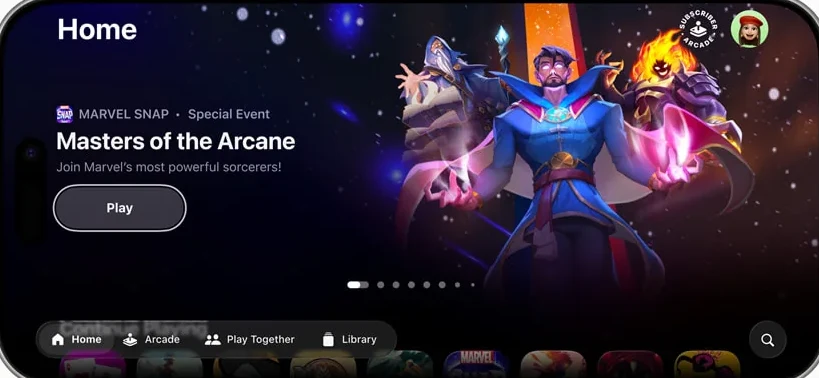
    The Apple Games app on iPhone, showing a featured event for a card game.
    iPhone: editorial features and live events on the home tab.
    The Arcade tab in the Apple Games app, featuring an upcoming Sneaky Sasquatch update.
    The Arcade tab — a home for the subscription inside the wider app.
    A challenge leaderboard in the Apple Games app, ranking friends by score with time remaining.
    Challenges: scoreboards against friends, with a clock running.
    • Owned the product from concept through global launch on iOS and macOS
    • Announced at WWDC in June 2025; shipped September 15, 2025 with iOS 26, iPadOS 26 and macOS Tahoe 26
    • Led global GTM strategy including the WWDC announcement and a multi-channel campaign
    • Public spokesperson for Apple’s gaming platform — developer events, consumer press, media tours
    • Scaled developer adoption via strategic partnerships, marketing sites, case studies and technical documentation

    What shipped

    Apple announced the Games app at WWDC in June 2025 and shipped it on September 15, 2025, pre-installed with iOS 26, iPadOS 26 and macOS Tahoe 26. Apple described it as a destination “designed to help players jump back into the games they love, find their next favorite, and have more fun with friends, turning even single-player games into shared experiences.”

    Four tabs:

    • Home — personalized recommendations, editorial features, in-game events, and whatever you were in the middle of playing.
    • Arcade — Apple Arcade’s 200-plus games, given a room of their own rather than a shelf inside the App Store.
    • Play Together — Game Center friends, groups, achievements and challenge invitations, in one place for the first time in years. It is called Friends now; that story is below.
    • Library — every game ever downloaded from the App Store, plus Mac games.

    A launch with no soft open

    The app ships inside the operating system. That removes the tools most consumer launches lean on: there is no phased rollout, no opt-in beta cohort, no market-by-market ramp, no holding back a feature for a fast-follow. On September 15 it was on the home screen of every device that took the update.

    Everything upstream has to absorb that. The announcement, the developer readiness and the documentation all have to be finished before the OS ships, not iterated afterward — and the first week’s reception is the reception.

    The tab we renamed

    Shipping is where you find out what your names actually mean to people.

    “Play Together” described what the tab was for. On a tab bar, sitting next to Home, Arcade and Library, it read as an action — something you tap to start a multiplayer session — rather than as a place you go. What was actually behind it was your friends: who was playing what, whose score you had just lost to, which challenge invitation was waiting.

    Players told us the name was confusing. We renamed the tab Friends soon after launch, and engagement went up.

    You can watch it happen on this page. The launch renders above still read Play Together — that is what shipped in September 2025. The screenshots on the Sales project further down were taken this year, and the same tab reads Friends.

    Challenges, and why they matter more than they look

    Challenges were the one genuinely new player-facing mechanic: private, score-based competitions among a small group of friends, with a clock running and a rematch at the end.

    The interesting part is what they’re built on. Any developer who already had a Game Center leaderboard could turn it into a challenge. No new economy, no new content pipeline, no new thing for a studio to maintain — the social layer is assembled from scores that single-player games were already recording. Apple’s launch examples were surviving waves in Thronefall and the weekly featured course in Skate City: New York.

    The developer problem hiding inside a consumer launch

    A destination app is only worth opening if the catalog inside it is worth browsing, and the parts that make it feel alive are the parts developers have to opt into.

    Every App Store game appears in the Games app automatically — in search, in Library, in Continue Playing. But the surfaces that carry the app favor games that have done the work: Apple’s own developer guidance states that games including Game Center features and In-App Events “are prominently displayed across the Games app.” Initializing Game Center, wiring up leaderboards and achievements, configuring In-App Events in App Store Connect — that is engineering time a studio has to be persuaded to schedule.

    The window between the announcement in June and the ship date in September is when a studio decides whether to do it. That was my side of the launch: strategic partner relationships, the marketing sites, recorded tutorials, case studies and technical documentation — and being the public voice for it at developer events, consumer press events and on media tours.

  2. Apple

    2026

    Sales and limited-time deals in the Games app

    The first time developers could merchandise a sale inside the App Store ecosystem — discovery for limited-time deals, built into the Games app rather than bolted onto it.

    The Sales & Offers section of the Apple Games app, with discounted games and a Try Before You Buy row.
    Sales & Offers — the destination that did not exist before this project.
    The Great Games On Sale browse screen in the Apple Games app.
    Browsing discounted titles, each with the deal's remaining time.
    The Apple Games app home tab, featuring a discounted title above Continue Playing.
    A sale earning a spot on the home tab, not buried in a tab of its own.
    • First-of-its-kind for the App Store: developer-merchandised sales and limited-time offers
    • Launched July 2026
    • Shipped Sales & Offers as a browsable destination in the Games app
    • Extended the surface to Try Before You Buy titles on sale
  3. Sony PlayStation

    2017 — 2022

    Game Help: knowing what a player is stuck on

    98% of players get stuck at least once a year, and 65% walk away from a game each month because of it. Game Help put a sub-minute answer inside the console, without leaving the game or spoiling it.

    A player holding a controller, with Game Help open on a phone beside the television running the game.
    The dual-screen habit the design was built around: game on the TV, help on the phone.
    Game Help on the PS5 console: a help video panel beside live gameplay, with a spoiler-free description.
    On console: progressive disclosure — the clue first, the video only when asked for.
    Game Help in the PlayStation mobile app: in-progress objectives, progress and playtime estimate, and a community help video.
    On mobile: live objectives and a community clip, without pausing the game.
    • 98% of players get stuck annually; 65% abandon a title monthly because of it
    • Cut time-to-help from 5–15 minutes of web search to under one minute
    • 35% lift in game completion
    • Consistently supported 75% of platform monthly actives
    • Patented, and part of 11 patents filed in ML personalization and media-object binding

    The strategic shift

    PS4 made the console the home for player identity — profiles, friend activity, the Share button. PS5’s bet was different: turn the operating system itself into something intelligent enough to help. Not more social features, but a system that understood what you were doing and could act on it.

    I ran several rounds of qualitative and quantitative research with active players, in person, to find what was actually blocking engagement.

    What the research found

    The numbers were stark. 98% of players get stuck at least once a year. 65% abandon a title in a given month because of an unresolved hurdle. And the workaround — searching YouTube or Google — took 5 to 15 minutes, broke immersion completely, and routinely spoiled the story on the way to the answer.

    Getting players unstuck wasn’t a nice-to-have. It was the single biggest retention lever on the platform.

    Deeper exploratory research told us what a solution had to look like:

    • Players get stuck on specific things — logic and spatial puzzles, collectible locations, and boss fights, where the problem is a weak point or an attack timing.
    • Short beats thorough. Targeted clips under a minute were strongly preferred over long walkthroughs or written guides.
    • Spoilers are a dealbreaker. Players wanted progressive disclosure: a subtle text clue first, and the video solution only when they explicitly asked for it.
    • They already dual-screen. Gameplay stays on the TV; the help gets read on a phone, without leaving the game.

    That last finding shaped the whole product.

    What we built

    Three tracks, running together:

    OS firmware. The system tracked active player state and, at runtime, intelligently pulled helpful footage out of the media buffer at the moment a player completed a task.

    Developer tooling and APIs. An SDK that let studios define activity metadata — this is a puzzle, this is a boss — so the system knew what a player was actually attempting.

    Dual-screen console and mobile UI. Progressive disclosure designed across both the console OS and the PlayStation mobile app, built around the dual-screening habit players already had rather than against it.

    The flywheel

    The part I’m proudest of is that Game Help feeds itself. The system detects a milestone completion and prompts the player who just succeeded to share the clip. Contributors get “helpful” ratings back, which validates the mastery and keeps them sharing. And the player who’s stuck gets guidance from a real person who actually did it — which is more trustworthy than an official walkthrough, and cheaper than producing one for every activity in every game.

    A team of ten specialized creators built the fallback content system underneath, which is what kept coverage high enough for Game Help to serve 75% of platform monthly actives rather than only the titles that happened to have community clips.

    Why short video clips rather than a written guide?
    The research was unambiguous. Players strongly preferred targeted clips under a minute over long walkthroughs or text-only guides — when you are stuck on a boss, you want to see the timing, not read about it. That finding set the format before anything was designed.
    How do you help someone without spoiling the game for them?
    Progressive disclosure. A subtle text clue comes first, and the video solution only unlocks when the player explicitly asks for it. Players told us they wanted to stay in control of how much they were told, and spoiling a story while solving a puzzle would have traded one frustration for a worse one.
    Where does the help content come from at the scale of a whole platform?
    From players. The system detects when someone completes a milestone and prompts them to share the clip, then shows contributors how many people their clip helped. A team of ten specialized creators built a fallback library underneath, which is what kept coverage high enough to support 75% of platform monthly actives rather than only the titles with an active community.
  4. Eventbrite

    2016 — 2017

    Self-service for events at real scale

    The first integrated software-and-hardware solution Eventbrite could hand to an organiser running an event for 200,000 people, with nobody from Eventbrite in the room.

    The Eventbrite Organizer app across four phones: real-time sales, live attendance, on-site payments and ticket scanning.
    The Organizer app: sales, attendance, payments and scanning in one place.
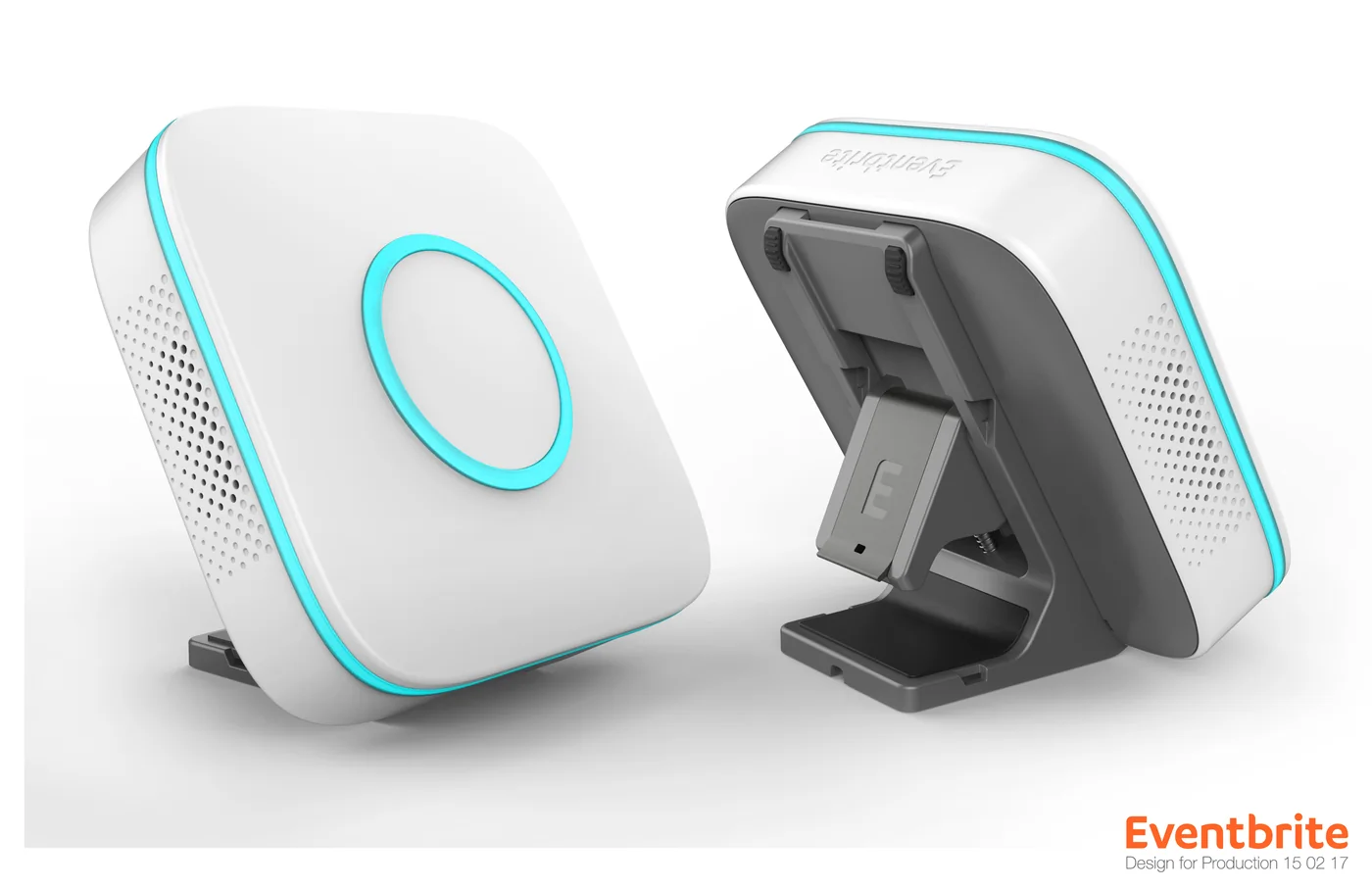
    The Eventbrite Portal scanning hardware, front and folded, from the production design review.
    Portal, at production sign-off — the hardware half of the offering.
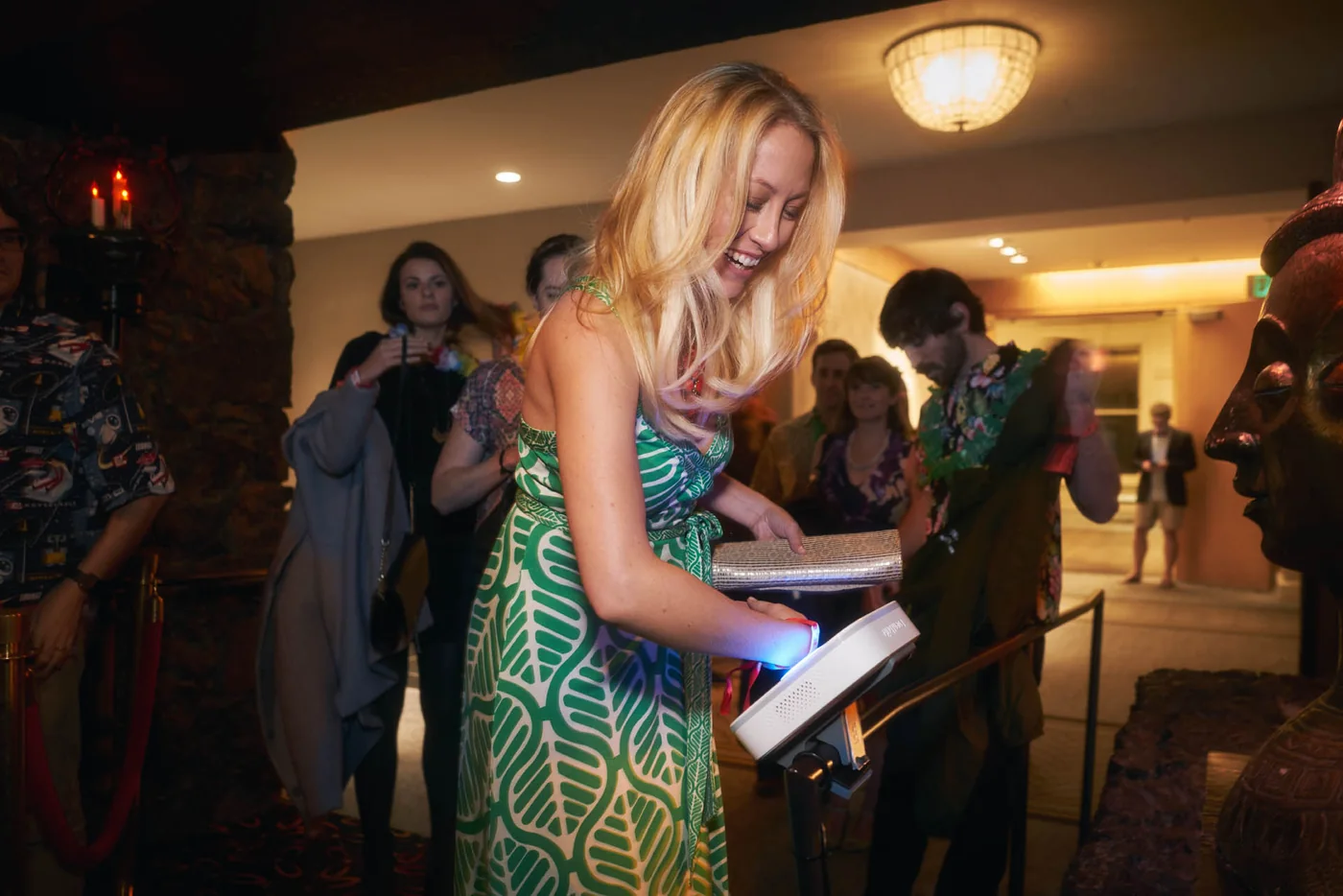
    An attendee being checked in at an event using a handheld Portal scanner.
    Check-in at the door, run by the organiser's own staff.
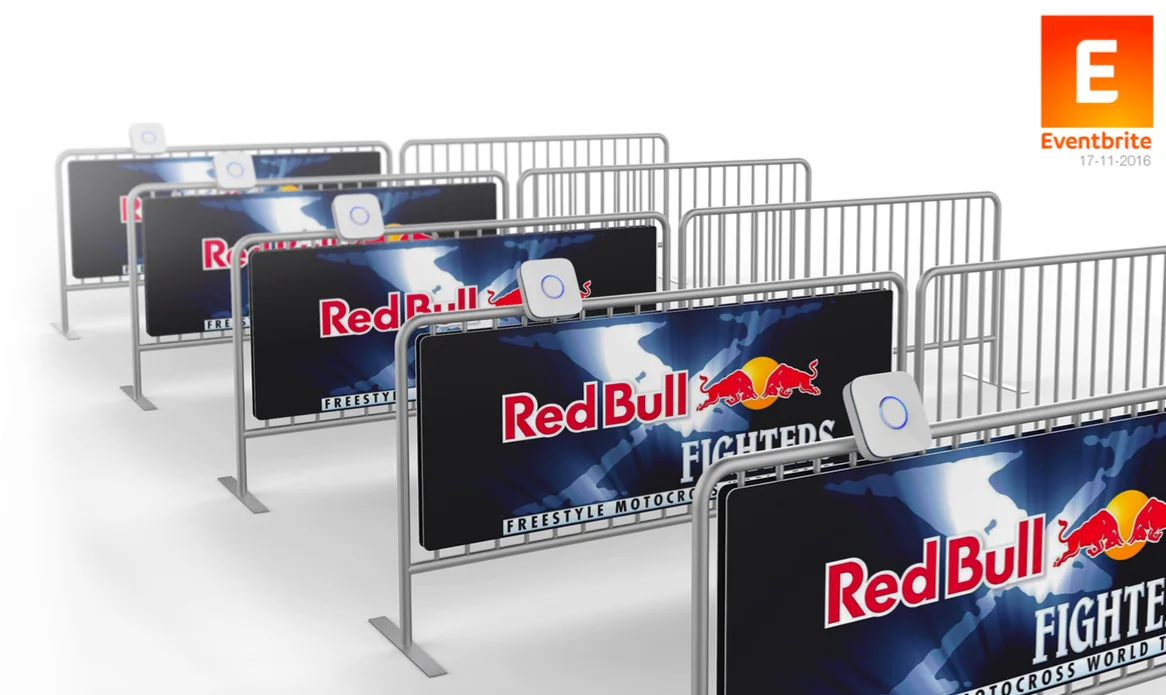
    Portal scanners mounted on branded event barriers at a sponsored sports event.
    Mounted on branded barriers — the scanner as part of the event build.
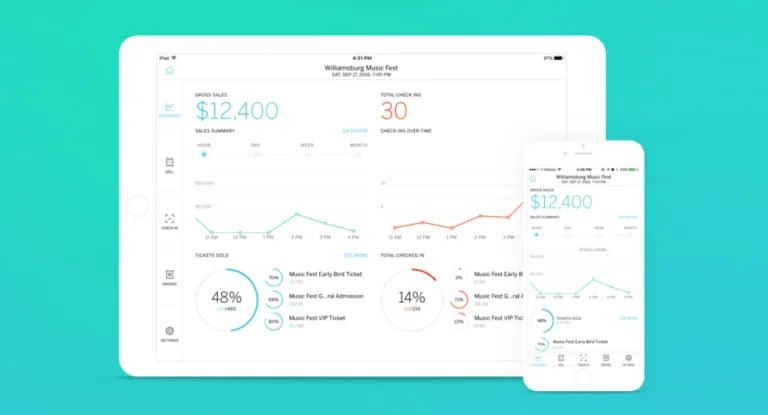
    A live event dashboard on iPad and iPhone showing gross sales and tickets sold.
    The live dashboard an organiser watches while the doors are open.
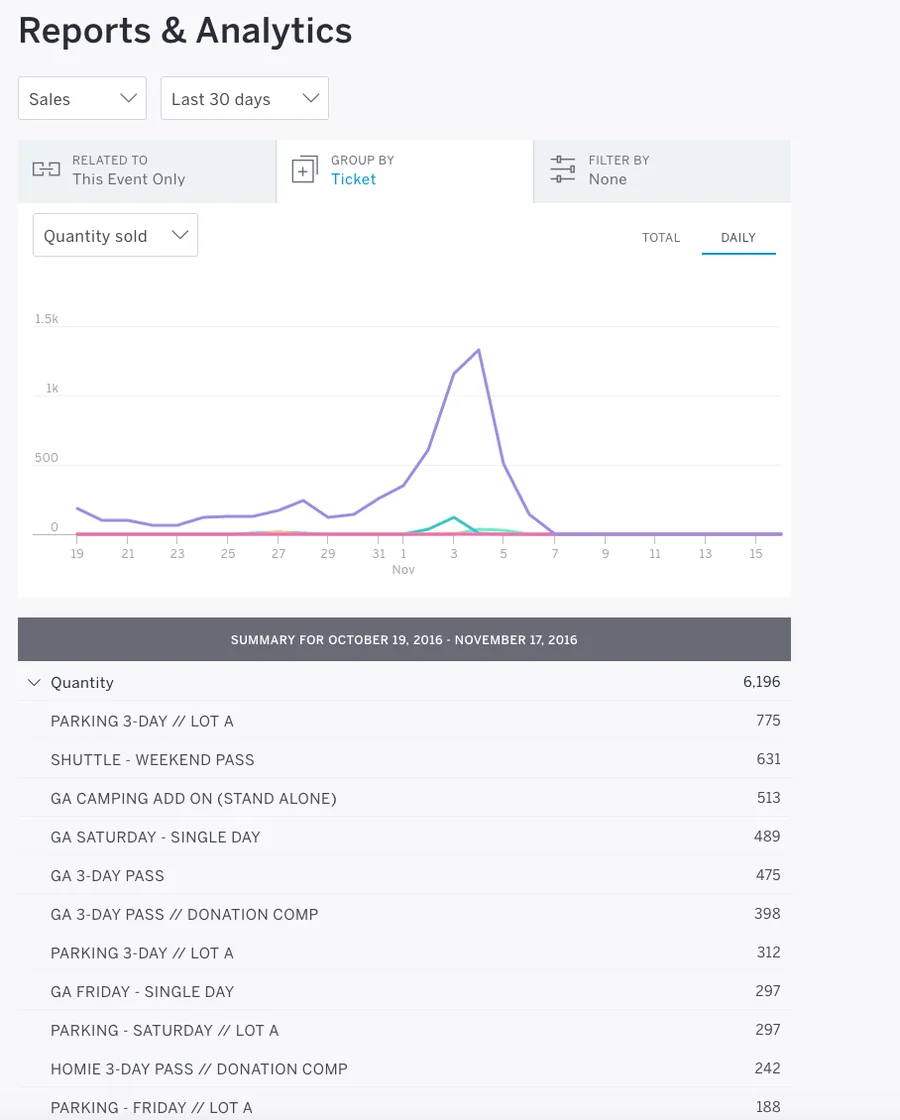
    Eventbrite Reports and Analytics: a daily sales curve above a per-ticket-type breakdown.
    Reporting, broken down by ticket type — parking, camping, shuttle, multi-day.
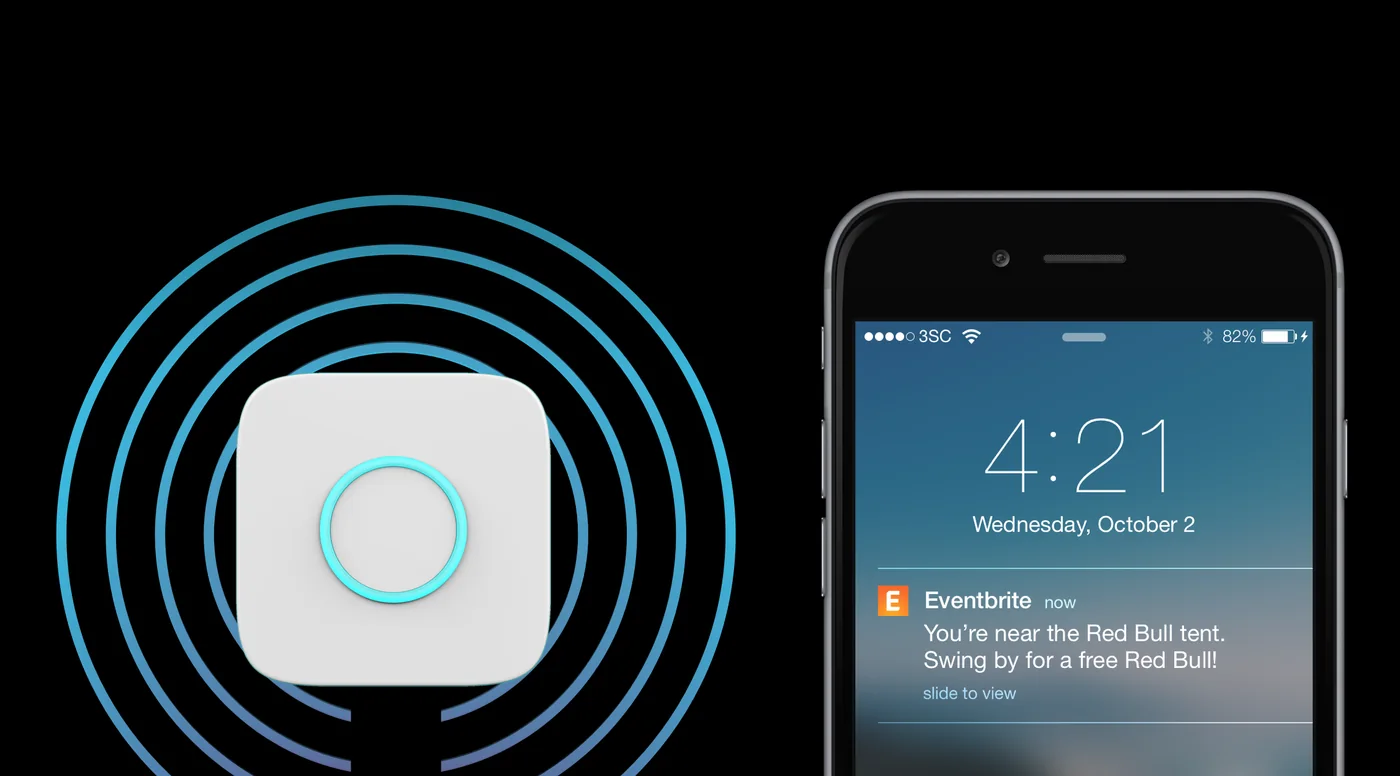
    A proximity beacon and a phone lock screen showing a location-triggered sponsor notification.
    Proximity beacons turning location into a sponsor moment on the lock screen.
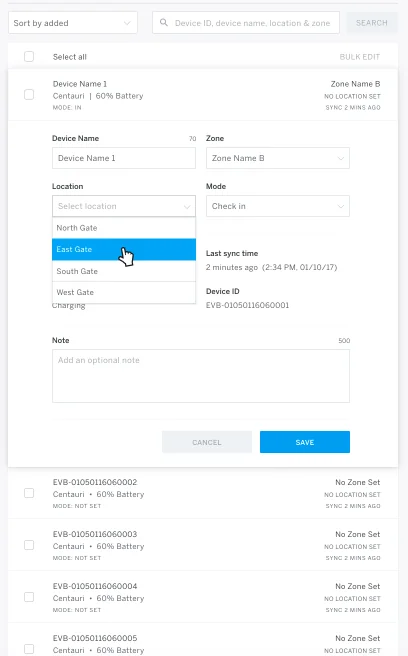
    The Portal fleet management screen: naming devices, assigning gates and zones, monitoring battery and sync.
    Fleet setup: naming devices, assigning gates, watching battery and sync.
    • First self-service integrated software + hardware offering
    • Supported events up to 200,000 attendees
  5. TechCrunch

    2015 — 2016

    Rebuilding TechCrunch on mobile

    A redesigned app past a million downloads, and a matchmaking tool that turned Disrupt’s startup–investor meetings from a scheduling problem into a product.

    • Relaunched app: 1M+ downloads
    • Built the Disrupt startup–investor matchmaking tool
    • 4× lift in meetings arranged
  6. Smule

    2014 — 2015

    Sing!: retention through the right nudge

    Led the Sing! karaoke app and built the push notification platform underneath it — the difference between a novelty and a habit.

    • Retention up 25%
    • App Store rating from 3.3 to 4.2
    • Built the push notification platform from scratch